
Get started with CLI
Infracost helps teams shift left on cloud costs by catching and fixing issues directly in the engineering workflow—before they become expensive problems. It provides cost estimates for Terraform, CloudFormation, and CDK before deployment and works with AWS, Azure, and Google Cloud.
1. Install Infracost
Get the latest Infracost CLI release:
- macOS brew
- macOS/Linux manual
- Windows chocolatey
- Windows manual
- Docker
brew install infracost

infracost --version # Should show 0.10.43
To upgrade Infracost, run brew update then brew upgrade infracost.
The easiest way is to use our install script:
# Downloads the CLI based on your OS/arch and puts it in /usr/local/bin
curl -fsSL https://raw.githubusercontent.com/infracost/infracost/master/scripts/install.sh | sh
Or you can install it manually:
-
Download the archive for your platform from our releases.
-
Unarchive and copy it to one of the directories in your
$PATH, e.g./usr/local/bin:tar xzf infracost-linux-amd64.tar.gz -C /tmp
mv /tmp/infracost-linux-amd64 /usr/local/bin/infracost -
Check that it works correctly:
infracost --version # Should show 0.10.43
choco install infracost

infracost --version # Should show 0.10.43
To upgrade Infracost, run choco upgrade infracost.
Download and unzip the latest release. Run it from the Command Prompt or Powershell using .\infracost.exe alongside other required commands/flags. You should also move the exe file to a folder that is in your PATH environment variable, e.g. C:\Windows.
docker pull infracost/infracost:ci-latest

docker run --rm \
  -e INFRACOST_API_KEY=see_following_step_on_how_to_get_this \
  -v $PWD/:/code/ infracost/infracost:ci-latest breakdown --path /code/
  # Add other required flags/envs, e.g. --terraform-var-file or --terraform-var
2. Get API key
Register for a free API key, which is used by the CLI to retrieve prices from our Cloud Pricing API, e.g. get prices for instance types.
- No cloud credentials or secrets are sent to the API.
- Infracost does not make any changes to your Terraform state or cloud resources.
infracost auth login
The key can be retrieved with infracost configure get api_key.
3. Show cost estimate breakdown
Infracost parses the project locally to determine resource types and quantities needed to calculate costs. The --path flag should point to your Terraform directory.
# You can also: git clone https://github.com/infracost/example-terraform
cd my-terraform-project
# Terraform variables can be set using --terraform-var-file or --terraform-var
infracost breakdown --path .
Example output:
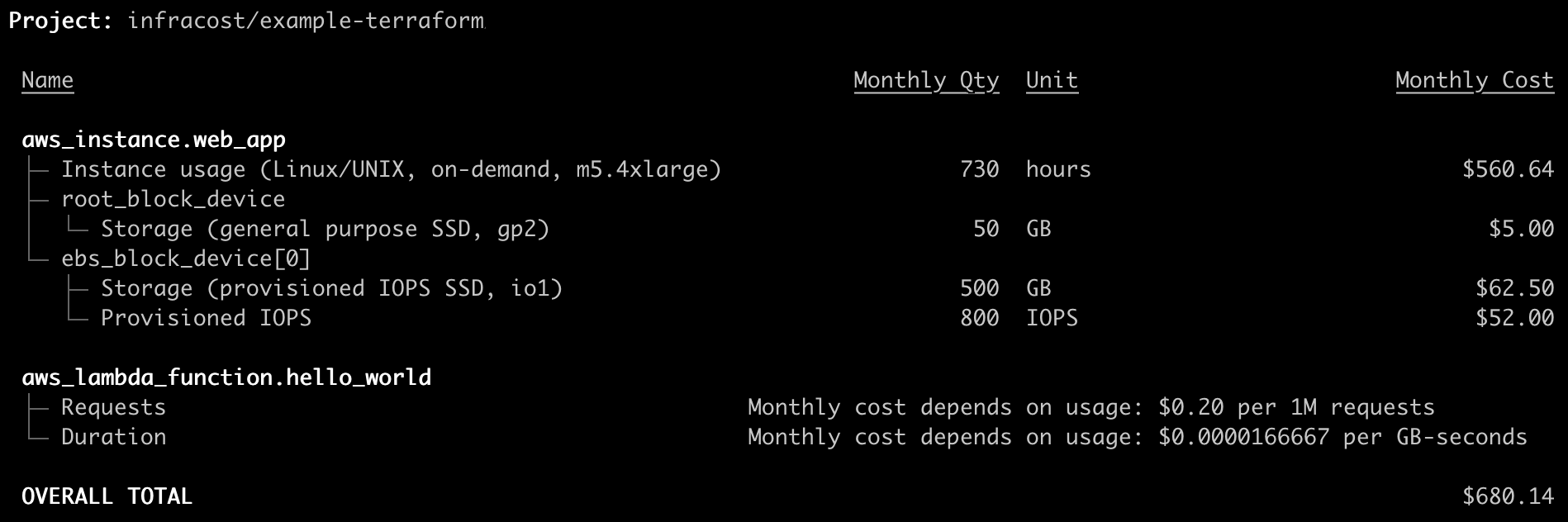
Infracost can also estimate usage-based resources such as AWS S3 or Lambda