Tag Compliance
This agent continuously checks your cloud resources against your configured Infracost tagging policies and proposes fixes for violations.
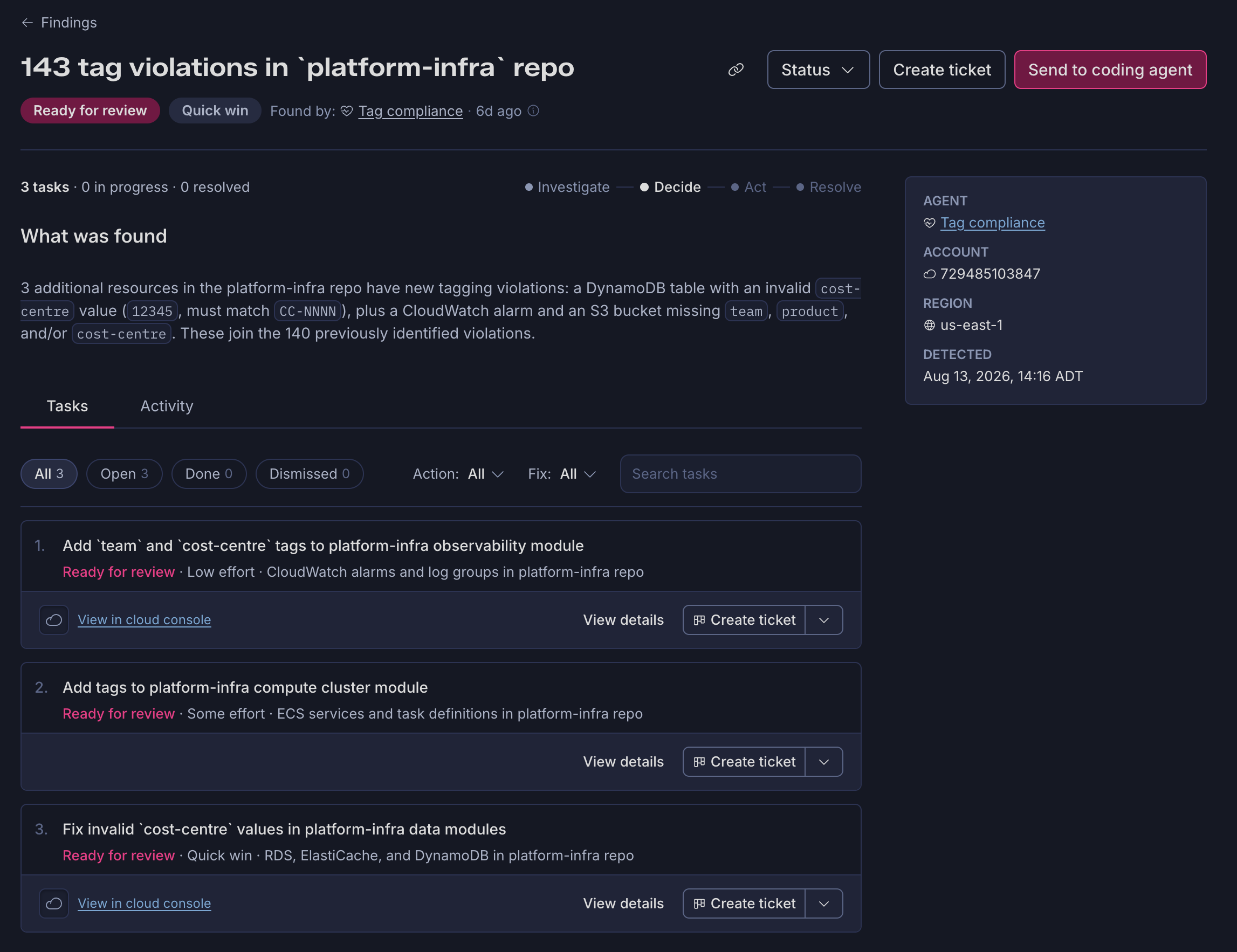
What it detects
This agent's checks are generated directly from the Tagging Policies you've configured in Infracost Cloud, one check per policy. If you have a policy called "Mandatory tags (AWS and Azure)," the agent runs a matching check by that name daily, scanning resources under that policy's scope for missing or invalid tags.
What it investigates
When a policy check finds violations, the agent investigates each one to identify exactly which tags are missing or invalid, and to locate the resource's IaC definition so a fix can be proposed.
For missing or incorrect tag values, the agent also tries to figure out what the value should be, not just that a value is wrong. It works through your infrastructure context in order of confidence:
- A structured metadata file, if your repo has one (like an
apm.ymlorservice.yaml) that already maps resources to the correct values - Repo and file path structure, which often encodes the cloud provider, product, and resource type on its own
- Account and org structure, when repo context alone isn't enough to narrow down an answer
- Naming conventions and neighboring resources in the same stack or module
- Your tagging standard documentation, if you've linked one, for tags with a defined set of valid values
If none of these produce a confident answer, the finding is flagged for manual review instead of guessing.
Prerequisites
- Tagging Policies configured in Infracost Cloud, at least one policy with a defined scope and required tags
- AWS Integration connected
- GitHub App or GitLab App connected, if you want fixes opened as pull requests