Tuning your agents
Every Infracost Fix agent ships with pre-built checks and produces findings on its first scan. Tuning is how you make those findings match your estate.
You have three surfaces, and they differ in blast radius:
- Dismiss closes a specific finding, and optionally suppresses findings like it.
- Knowledge shapes future investigations and leaves current findings alone.
- Additional instructions resets the agent and re-investigates your estate from scratch.
Expect to spend time here in your first few weeks. Your first pass at configuration is a starting point, not a final answer.
How do I stop an agent surfacing findings I don't care about?
Build your exclusions here, not in Additional instructions. You can't predict every false positive before your first scan, so don't try. Review what the agent actually found, and dismiss what you don't want to see again.
Dismissing a finding does three things. It closes the finding. It dismisses the open tasks underneath it and closes any PRs or tickets the agent drafted. And it saves your explanation as agent knowledge, which informs future investigations.
To stop the same finding coming back, check Stop creating findings like this one. Infracost Fix shows you the attributes it observed on this specific finding: account, region, resource ARNs, cloud provider, source, and the policy that triggered it. Select the ones that define what you want suppressed.
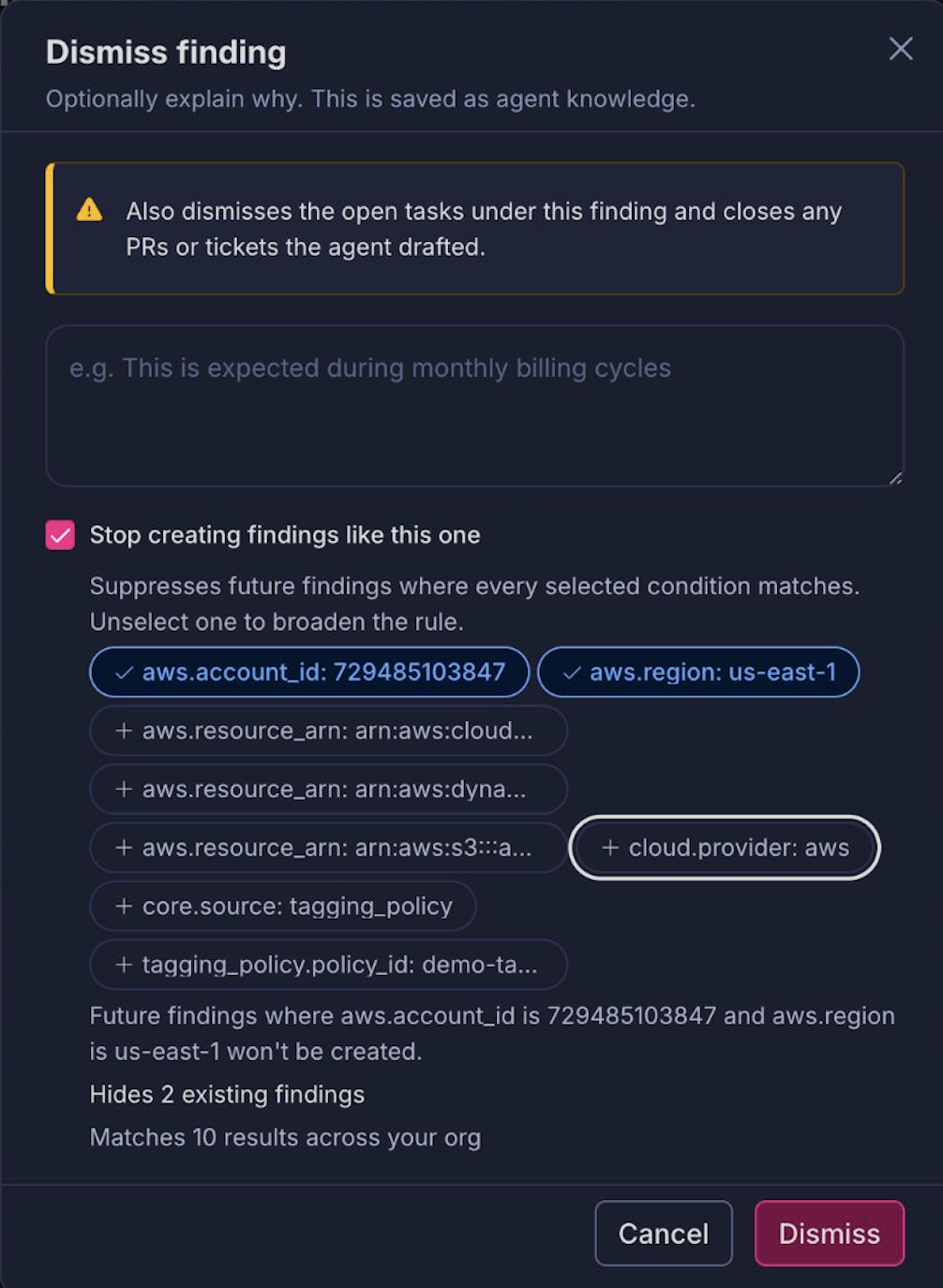
Every condition you select has to match for a future finding to be suppressed. Select aws.account_id and aws.region, and findings stop only in that account and that region. Select fewer conditions to broaden the rule. Select more to narrow it.
Before you confirm, the dialog tells you the blast radius of the rule: how many existing findings it hides, and how many results it matches across your org.
Where does agent knowledge live?
Everything an agent has learned is visible at Agents → your agent → Knowledge, and every entry can be edited or deleted.
Knowledge applies to future investigations only. Adding an entry never touches a finding that already exists. That is what makes it the safe way to correct an agent once your team has work in flight.
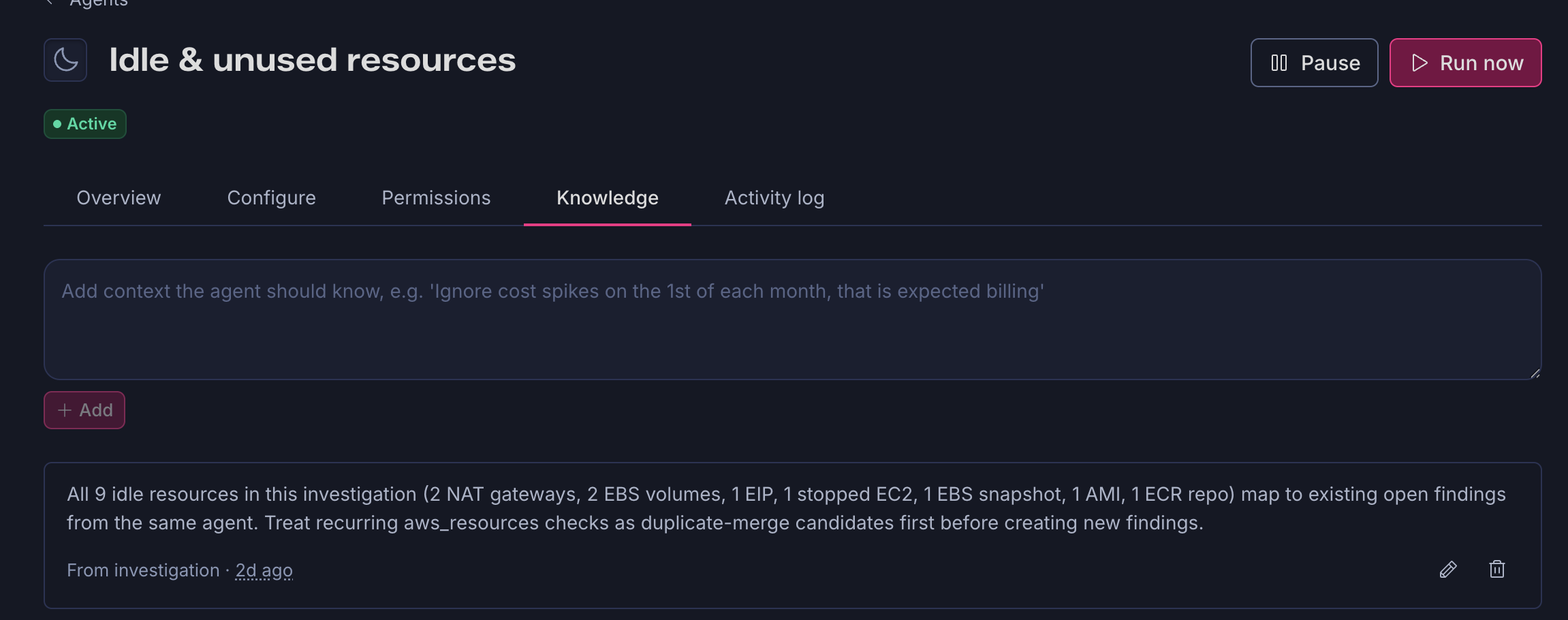
Entries come from three places:
- Dismissals. The explanation you write when dismissing a finding.
- Investigations. Learnings the agent forms while working, labeled "From investigation." For example: "All 9 idle resources in this investigation map to existing open findings from the same agent. Treat recurring
aws_resourceschecks as duplicate-merge candidates first before creating new findings." - You, directly. Add context in the box at the top of the tab and click Add. You don't have to wait for a finding to teach an agent something. If you already know a constraint, write it down now: "Ignore cost spikes on the 1st of each month, that is expected billing."
Check this tab first when an agent's behavior surprises you. Knowledge accumulates, and it shapes every investigation that follows, so one wrong entry keeps influencing findings until you delete it.
Should I use Additional instructions or Knowledge?
Both shape how an agent behaves. They differ in what they do to the findings you already have.
| Additional instructions | Knowledge | |
|---|---|---|
| Effect on current findings | Clears them and re-investigates from scratch | None, forward-only |
| Written by | You | You and the agent |
| Where it lives | The agent's Configure tab | The agent's Knowledge tab |
| Best for | Early adoption, before teams have work in flight | Later adoption, when open findings shouldn't be disrupted |
Early on, reach for Additional instructions. A clean slate is worth more than the findings you are discarding, because those findings came from context the agent didn't have yet. Once engineers are working through tickets and PRs, switch to Knowledge. Wiping a queue people are actively working is a fast way to lose their trust in the agent.