Cost Anomaly Investigation
This agent investigates cost anomalies AWS has already detected, so you get root cause and context instead of just an alert.
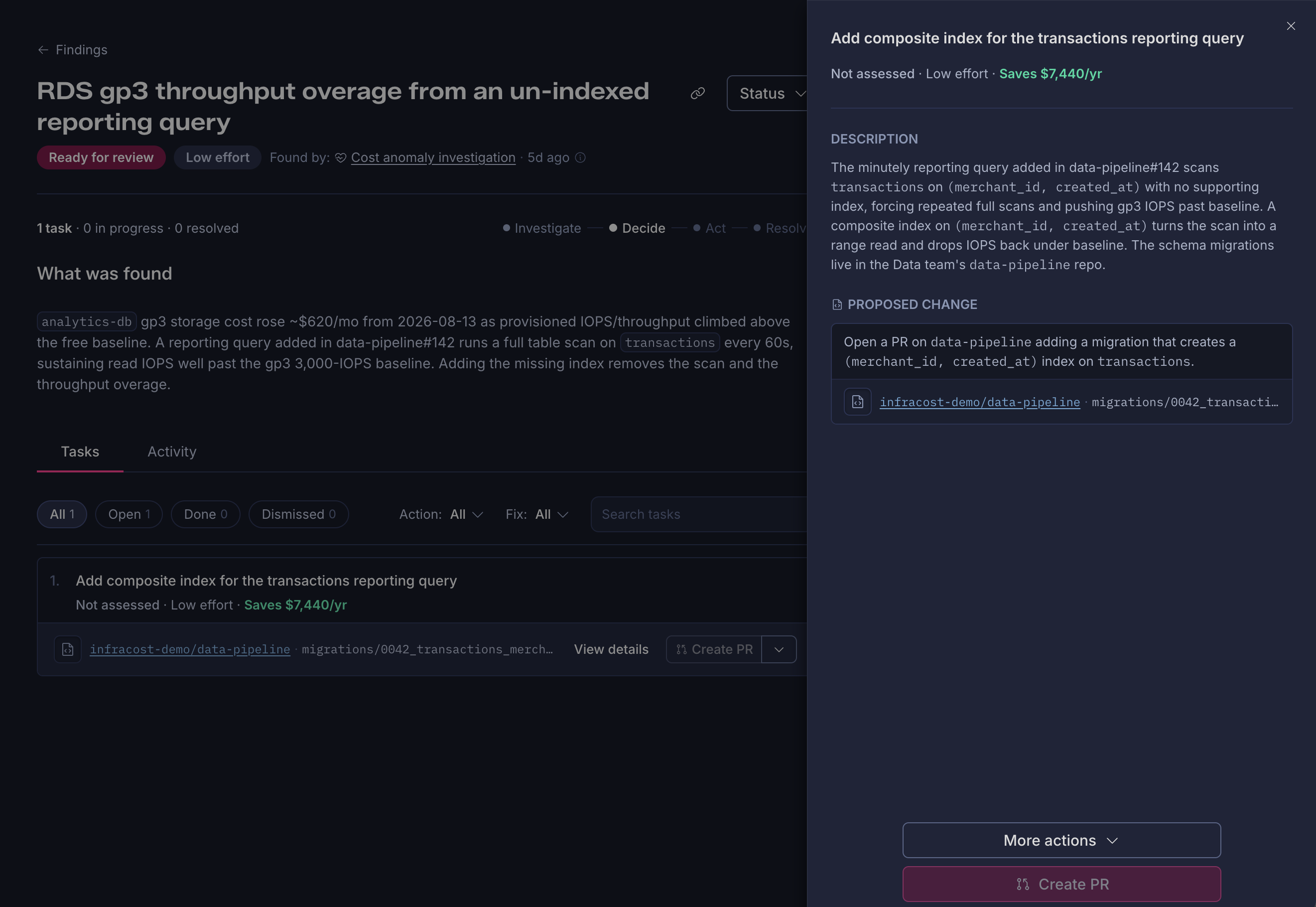
What it detects
The agent polls AWS Cost Explorer's GetAnomalies API daily, for every anomaly monitor configured in your account, and surfaces every detected anomaly you haven't already dismissed as an observation for investigation.
What it investigates
An anomaly firing isn't the same as a confirmed finding. AWS tells you spend moved unexpectedly, it doesn't tell you why. The agent investigates each anomaly to establish what triggered it, what changed at the resource level, whether the cost driver is still running, and what your remediation path looks like, correlating spend trends against infrastructure changes so you get the story behind the number, not just the number.
Prerequisites
- AWS Integration connected
- An AWS Cost Anomaly Detection monitor enabled in your account. If you deployed the AWS Integration with
enable_anomaly_monitors(Terraform) orEnableAnomalyMonitors(CloudFormation) set to true, this is already done. - GitHub App or GitLab App connected, so the agent can trace anomalies back through infrastructure and application changes